 Download
Deleted Picture Recoveryr
1.0.0 January 22, 2026- 7.8
- 1
- 2
- 3
- 4
- 5


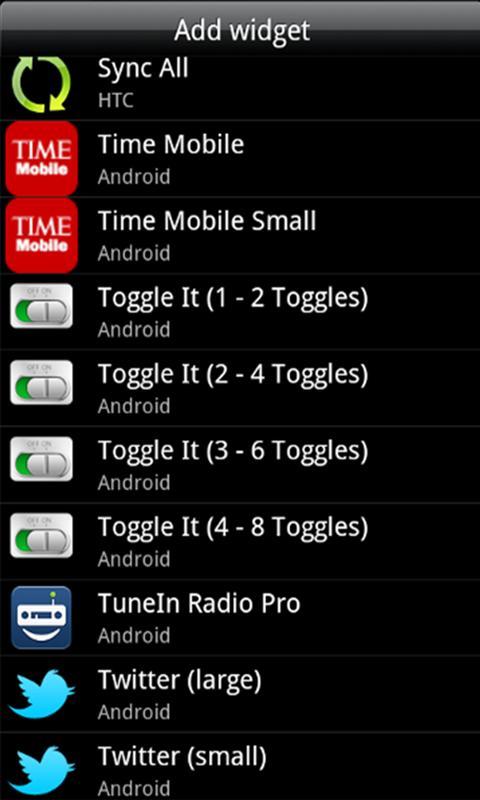
Toggle It makes it easy, fast to adjust, view your Android device's settings!
* Deprecated app. Some features may not work with the latest Android Smartphones. There is no longer technical support for this app. It's free of charge, as-is. Thank you.
Do you like weeding through menus and sub menus of options to find the setting in your Android Smartphone that you want to change? Ya, we don't either. With Toggle It you can easily, quickly add toggle widgets, from one to as many as your Android device's screen can hold.
Once you add a toggle widget to your Android device's home screen it's as easy as pressing on it to turn it on and off.
Unlike the default Android Power control widget set that only allows for five toggle widgets, which cannot be changed, Toggle It lets you, the user, put as many different toggle widgets as you want on your device's home screens!
Current Toggle Widget Set:
Ringer - switch between normal, silent, and vibrate only for incoming phone calls
Phone Signal - turn off all telephony transmission signals, which can really save a lot of battery power
Mobile Data - enable to disable 2G/3G connectivity. This is especially handy if your Android device wireless device plan is not unlimited.
WiFI - enables or disables the WiFi connection on the device.
WiFi Tethering - enables or disables WiFi Tethering feature on the Android device. (Android 2.2+)
Bluetooth - enables or disables Bluetooth feature. (e.g. Bluetooth headset use)
GPS - Due to Google's Android OS changes, the GPS Toggle It widget is no longer able to be offered.
Airplane Mode - enables or disables all signal, transmissions to and from the Android device. Often used when flying, thus the toggle name.
Sync - enables or disables the Sync All feature. (e.g. if enabled will periodically sync all of the Google accounts associated with the Android device).
Auto-Rotate Screen - enables or disables the ability to rotate the screen via the related scensor. (e.g. whether the browser rotates into landscape mode from portrait and reverse, or just locks into portrait mode)
User Set Brightness - this toggle widget allows the user, with a swipe of their figner, to adjust the screen brigthness.
Screen Time Out - allows the user to change the time that elapses before the screen turns off. The values that can be set are 15 seconds, 30 seconds, 1 minute, 2 minutes, 10 minutes, or 30 minutes.
Screen Always On - when enabled the Android device's screen will stay on until the user pushes the power button. When this toggle widget is enabled, the Screen Time Out will be disabled.
Screen Brightness - this toggle widget allows the user to quickly switch from four different screen brightness values. Which include, minimal (lowest brightness), Auto (the actual lighting in the area of the device will dictate the brightness, thanks to the device's built-in sensor for such), User Set (this is the value that can be set with the User Set Brightness toggle), and finally Max, for maximum screen brightness.
Flashlight - will turn on or off the Flash or LED that is on the back of many Android devices, and set the brightness to its highest level.
SD Card (External Storage) - when pressed on this toggle widget will scan the device to a degree for files (e.g. media, music, etc.). It also will popup a message stating the amount of SD card (External Storage) available, and the overall size of the storage.
Haptic Feedback - when enabled will turn on the slight vibration feeling the user feels when pressing on certain User Interface areas, such as the "soft keys" (the hardware keys, e.g. Home, Back, Menu, and Search) on the Android device.
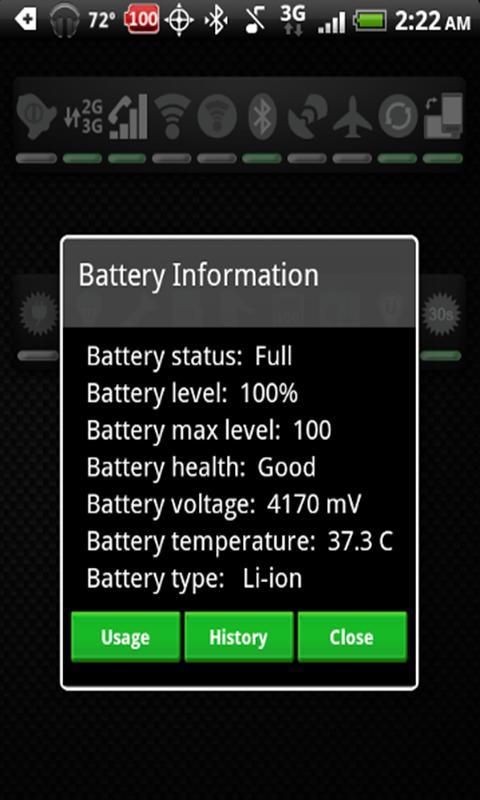
Battery - shows the current battery level (updates on 1% changes) on the toggle. Once clicked it shows the current status of the battery. Clicking on the popup dialog's Usage or History buttons will give even more in-depth information about what has been using the battery, back to when the first devices turned on.
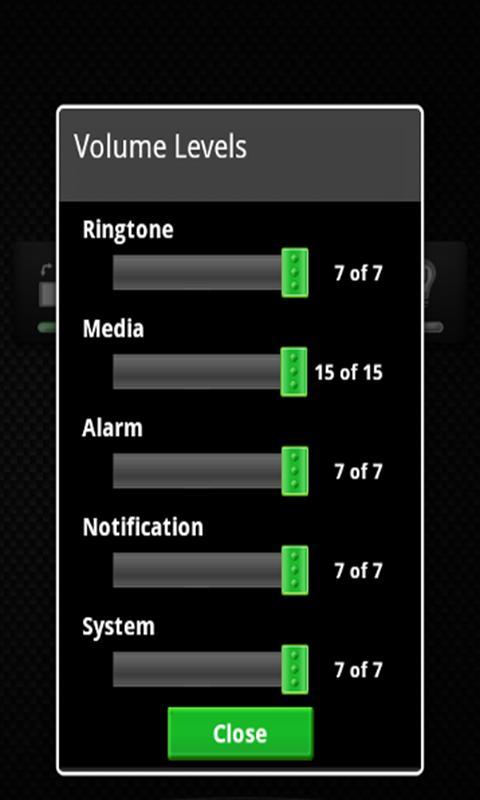
Volume - change volume levels.
Keywords: toggle, widget







 Action Adventure
 Simulated Business
 Role Playing
 Sports Competition
 Casual Puzzle
 Card Strategy
 Music Rhythm
 Word Puzzle
 Flight Shooting
 Love Development
 Business Office
 Communication and Social
 Lifestyle and Entertainment
 Online Shopping
 Utility Tools
 Travel Travel
 Finance
 Education Learning
 Information Reading
 Sports and Health