 Download
Deleted Picture Recoveryr
1.0.0 January 22, 2026- 7.8
- 1
- 2
- 3
- 4
- 5


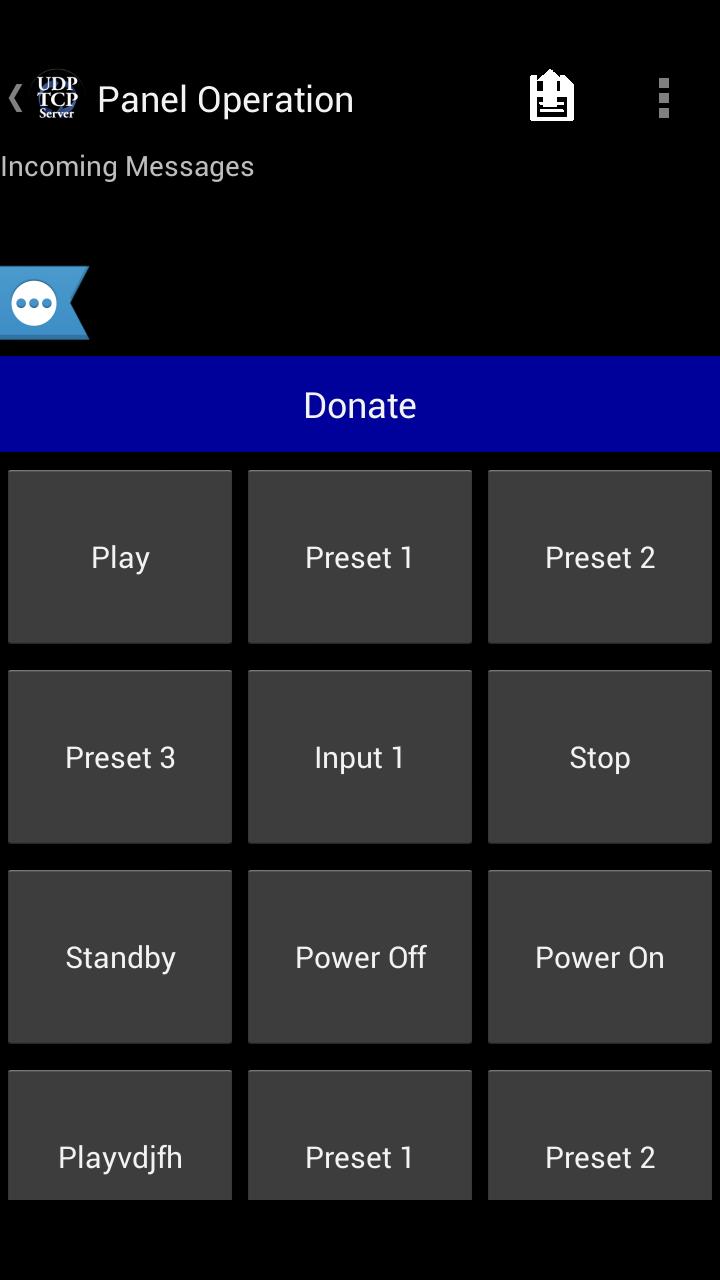
UDP TCP Server - Send & Receive UDP/TCP packets / commands
Ever needed to send a UDP/TCP commands from your Android device to a UDP/TCP enabled device on your WiFi or Cellular network?
Now you can!
Featuring:
* UDP incoming and outgoing support
* TCP incoming and outgoing support
* Internet DNS support
* User-defined buttons to store pre-set commands to send
* Unlimited user defined templates to use for different UDP/TCP clients (templates save IP and Port settings as well)
* Send commands to multiple IP's and ports at the same time
* Acting as a server, can get responses back from the network
* Buttons support colors, if the command that was sent matches the command that was received, button becomes green, otherwise, becomes red
* Easy to use
* Simple and clean interface
* Supports Android 2.2 and up
* Pre-stored templates to control "Sharp - AQUOS TV" / "NEC - TV's"
* Buttons can have any color you want!!
If you have any questions, please visit our forum: http://goo.gl/qpI7ku
Like us on facebook: https://goo.gl/EYXyaY
Follow us on Twitter: @idodevfoundatio
If you wish to use our application as a remote control for you windows PC, you can use this great TCP server:
http://www.hsm-ebs.de/ -> Download -> TCP-IP-Server (includes a manual in English as well)
If you like my application, please support it by downloading the paid ad free version here
http://goo.gl/mHXJjt
If you would like to create a template on a PC and then load it to my application, you can create a XML file based on this structure, and place it in this path on your device /UDPTCPServer/Templates/
Sample XML: https://goo.gl/i1oHDQ
If you want to become a beta tester: https://goo.gl/twJ30c
A quick guide:
1. Go to Menu->Settings and define the IP / Port / Protocol you wish to send commands to
2. Go to Menu->Button Config and define what you would want each button to show (as label) and send (as command), notice, you can also long-press on a button to modify it's settings
3. Click buttons to send commands
A few notes:
* Scroll down to see the phone IP and port it is listening on
* You can change buttons heights (Menu->Settings->Scroll all the way down)
* You can long press a button to modify it's settings
* You can change the number of buttons shown on screen
* You can save a set of labels + commands as a template, to easily change the devices you are controlling (Click the + sign at the ActionBar)
* You can use some of my pre-stored templates (Menu->Load from pre-stored templates)
How to use "handle incoming settings" - developed for Phil Green:
1. Enable the feature in the settings
2. Set the application to 'listen' on a UDP port
3. Send a UDP string to the device in this SPECIFIC format:
**B,,,,,,;
You can have as many button as you want within the same string, here is an example of how to use this:
**B05,,Test Name5,,PEACE,,#ffffff00;**B06,,Test Name6,,123,,#ff0000ff;**B07,,,,456,,#ff00ffff;
4. Note: the string MUST end with ';'
5. If you wish to only change the label and not the command or color, simply leave that blank, for example:
**B07,,,,OK,,,,;
This will set Button 7 command to be "OK" and will not change the color or name (label)
How to use responses from "handling incoming messages":
The purpose here is to allow the remote device to confirm that the settings were set properly.
To use this:
1. Enable in settings (both the handling of incoming messages and the reply)
2. Set the correct outgoing settings (IP/Port), of where the application should send the response to
3. Send a "setting" string
The protocol is this:
**R++,,+
Possible Status Codes:
01 - success
02 - error
Sample reply string will be:
**R01,,45
Which means, incoming settings were processed without a problem and it took a total of 45ms.
Please contact me should you have any questions








 Action Adventure
 Simulated Business
 Role Playing
 Sports Competition
 Casual Puzzle
 Card Strategy
 Music Rhythm
 Word Puzzle
 Flight Shooting
 Love Development
 Business Office
 Communication and Social
 Lifestyle and Entertainment
 Online Shopping
 Utility Tools
 Travel Travel
 Finance
 Education Learning
 Information Reading
 Sports and Health