 Download
Smartnetr
1.0.3 January 22, 2026- 7.3
- 1
- 2
- 3
- 4
- 5


Manage Arduino, with the Android phone.Manage Android phone, with Arduino.
Manage Arduino, with the Android phone.
Manage Android phone, with Arduino.
Management Arduino, with the Android phone, using sensors / sensors on your Android phone:
Peredaёm sensor data / sensor with Bluetooth, to Arduino.
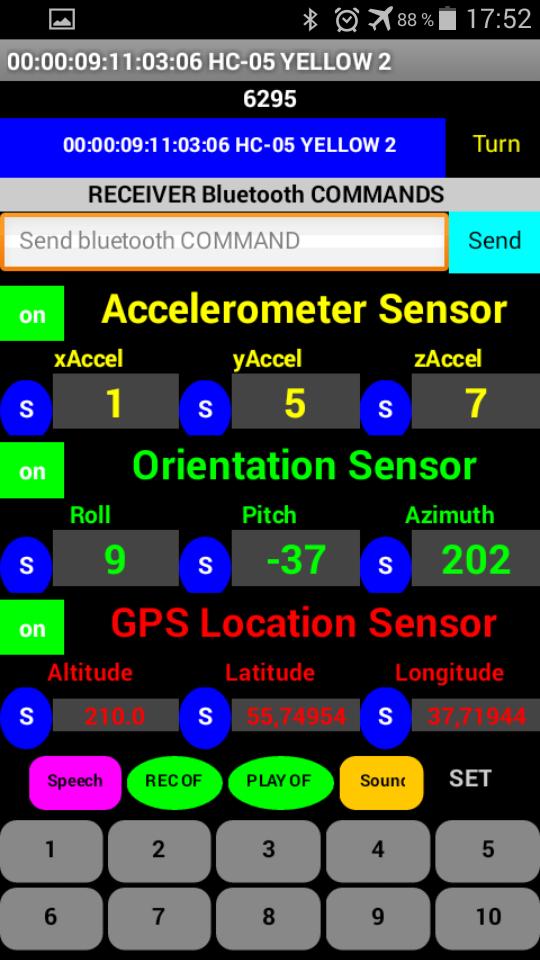
1). Accelerometer Sensor - (xAccel, yAccel, zAccel).
2). Orientation Sensor - (Roll, Pitch, Azimuth).
3). GPS Location Sensor - (Altitude, Latitude, Longitude).
4). Voice Recognition - SpeechRecognizer.
5). Text to Speech - TextToSpeech.
6). Button / Button.
7). Keyboard.
For example "Orientation Sensor", tilting Android phone, left / right - up / down value "Orientation Sensor" (Roll, Pitch,
Azimuth) will change.
Send these values to the Arduino, Arduino to process them, such as the angle of rotation Servo, or drive the stepper motor, or
brightness LEDs.
To see on the screen the values desired sensors, press the red button on the left off, it will change to green on.
To start sending via Bluetooth on the Arduino desired value of the sensor, press the red button N, it will change color to blue
now all the values from this sensor will be sent to the Arduino.
Manage Android phone, with Arduino:
Sending commands to the Arduino Bluetooth on your Android phone, we can.
1). Enable / disable recording "SoundRecorder", play / stop the recorded file "Player".
2). Play a sound file "Sound".
3). Run voice recognition "SpeechRecognizer", the result is sent back to the Arduino.
3). To initiate the translation of the text-to-speech "TextToSpeech". Voice, phrase beforehand saved in the phone memory.
To record a phrase in the phone memory, enter in the box "TextBox" text from the keyboard or by using voice recognition, and
hold the button for 2 seconds "Speech".
Bluetooth send commands to the Android phone.
Serial.println;
(10001); // Include audio.
(10002); // Turn off the audio.
(10003); // Listen to the recorded file.
(10004); // Stop listening to the recorded file.
(10005); // Play a sound file "Sound".
(10006); To initiate the translation of the text-to-speech. Announce in advance the saved phrase in the phone memory.
(10007), ButtonVal = 0; Start voice recognition "SpeechRecognizer", the result is sent back to the Arduino.
// It is possible, and these teams.
// Sometimes, when sending via Bluetooth on Android, the letter "long lines" disappear.
Serial.write;
("STARTED RECORD SOUND"); // Include audio.
("Stop RECORD SOUND"); // Turn off the audio.
("START PLAY RECORD SOUND"); // Play / stop, the recorded file.
("Stop PLAY RECORD SOUND");
("PLAY AUDIO FILE"); // Play a sound file "Sound".
("PLAY written text of the human voice"); To initiate the translation of the text-to-speech. Announce in advance the saved phrase in the phone memory.
("Speech"), ButtonVal = 0; Start voice recognition "SpeechRecognizer", the result is sent back to the Arduino.
Setting sensors:
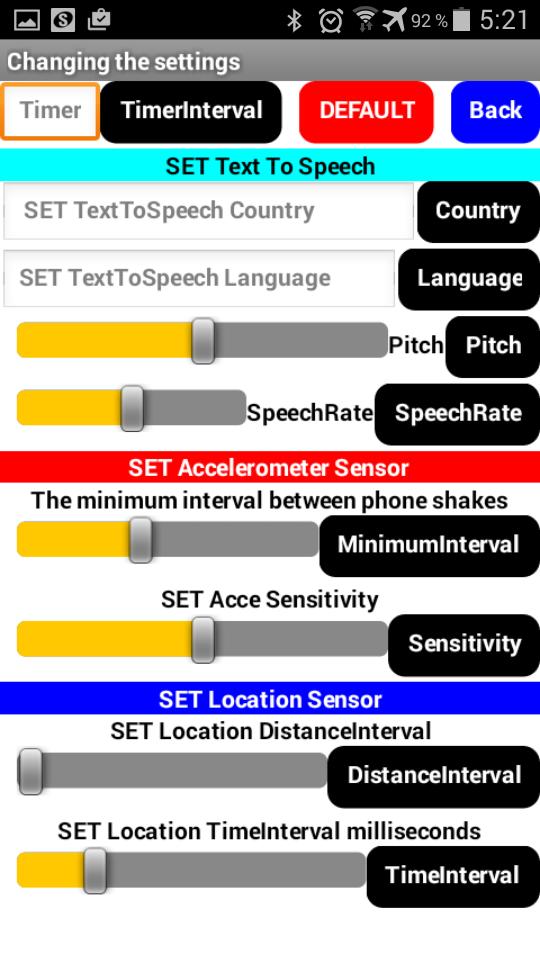
The button "SET", the entrance to the configuration menu sensors.
In the settings menu, you can set the desired parameter of the selected sensor, press the button to the right to save.
Parameter "TimerInterval" (at the top left), sets the speed of sending / receiving data over Bluetooth, in milliseconds.
All sketch for Arduino, in the description of the video lessons.
2). Добавлена возможность прокрутки экрана / "Scrollable".
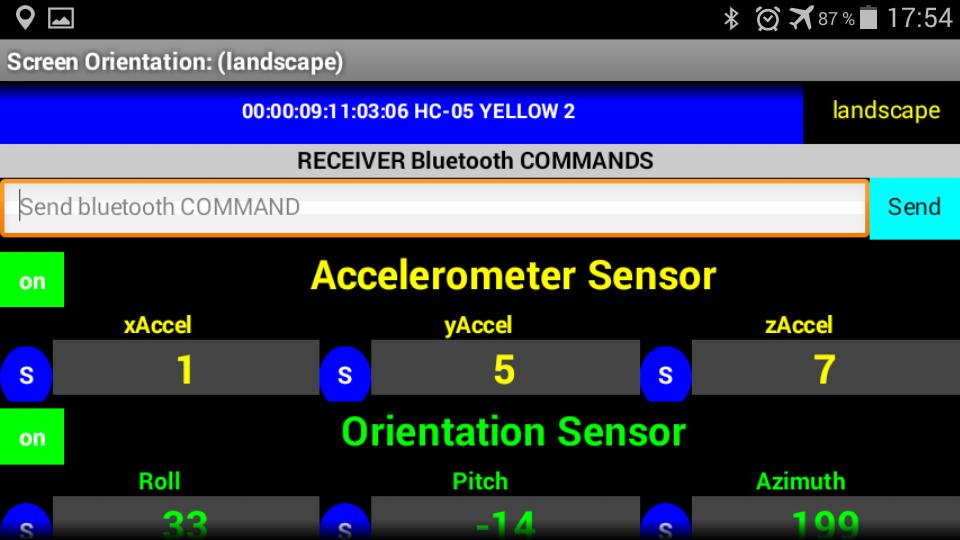
3). Заблокировал, правую аппаратную кнопку "назад", в режиме ориентации экрана - горизонтальный / "landscape".
4). Добавил новые Bluetooth команды.







 Action Adventure
 Simulated Business
 Role Playing
 Sports Competition
 Casual Puzzle
 Card Strategy
 Music Rhythm
 Word Puzzle
 Flight Shooting
 Love Development
 Business Office
 Communication and Social
 Lifestyle and Entertainment
 Online Shopping
 Utility Tools
 Travel Travel
 Finance
 Education Learning
 Information Reading
 Sports and Health